SaucerSwapOrder Book
Pro-grade trading on Hedera, as simple as a swap.
Product Design
UX/UI · Desktop & Mobile
SaucerSwap Labs
Web app · Mobile [confirm]
[year]
[team]
SaucerSwap is a leading DEX on Hedera [confirm wording]. The Order Book brings limit and market orders to the platform, giving traders price control and depth visibility that a classic swap can't offer. I designed the end-to-end experience, from connecting a wallet to placing, tracking and managing orders, on desktop and mobile.
The challenge
Order books are built for professionals: dense numbers, many order types and multi-step wallet signatures. SaucerSwap's audience includes seasoned traders and people who have only ever used a swap.
The goal was pro-level control without losing clarity, and making every on-chain step understandable at a glance. [Key technical or business constraint.]
Approach
[How you worked: research with traders, benchmarks, wireframes, iterations with developers, testing.]
- Clarity first. Colour, weight and spacing do the reading: green for bids, red for asks, one accent for action.
- Every state designed. Not connected, empty, no matches, pending, error, success.
- One system, two screens. Desktop and mobile share components, not just a palette.
01Connect wallet
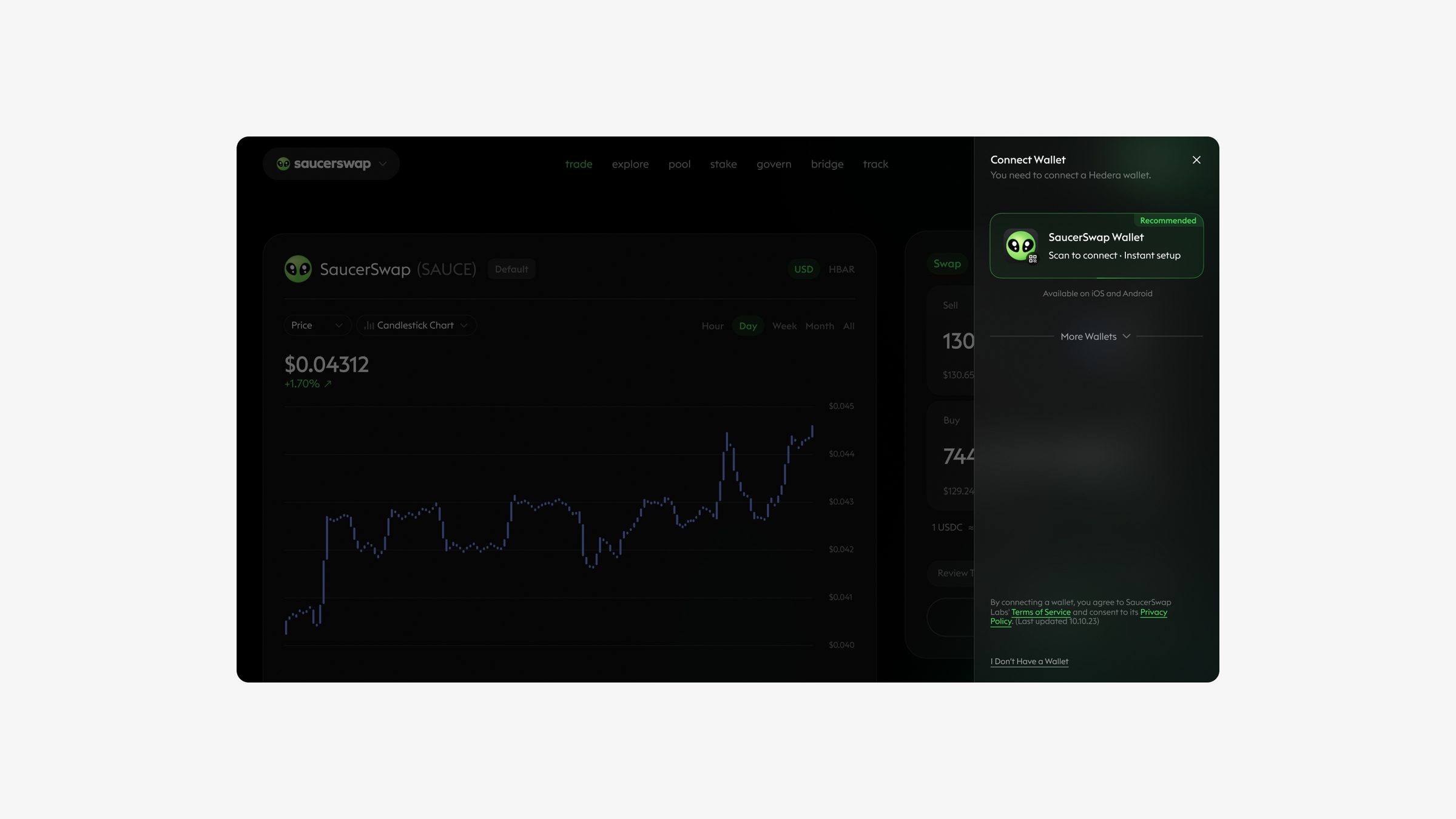
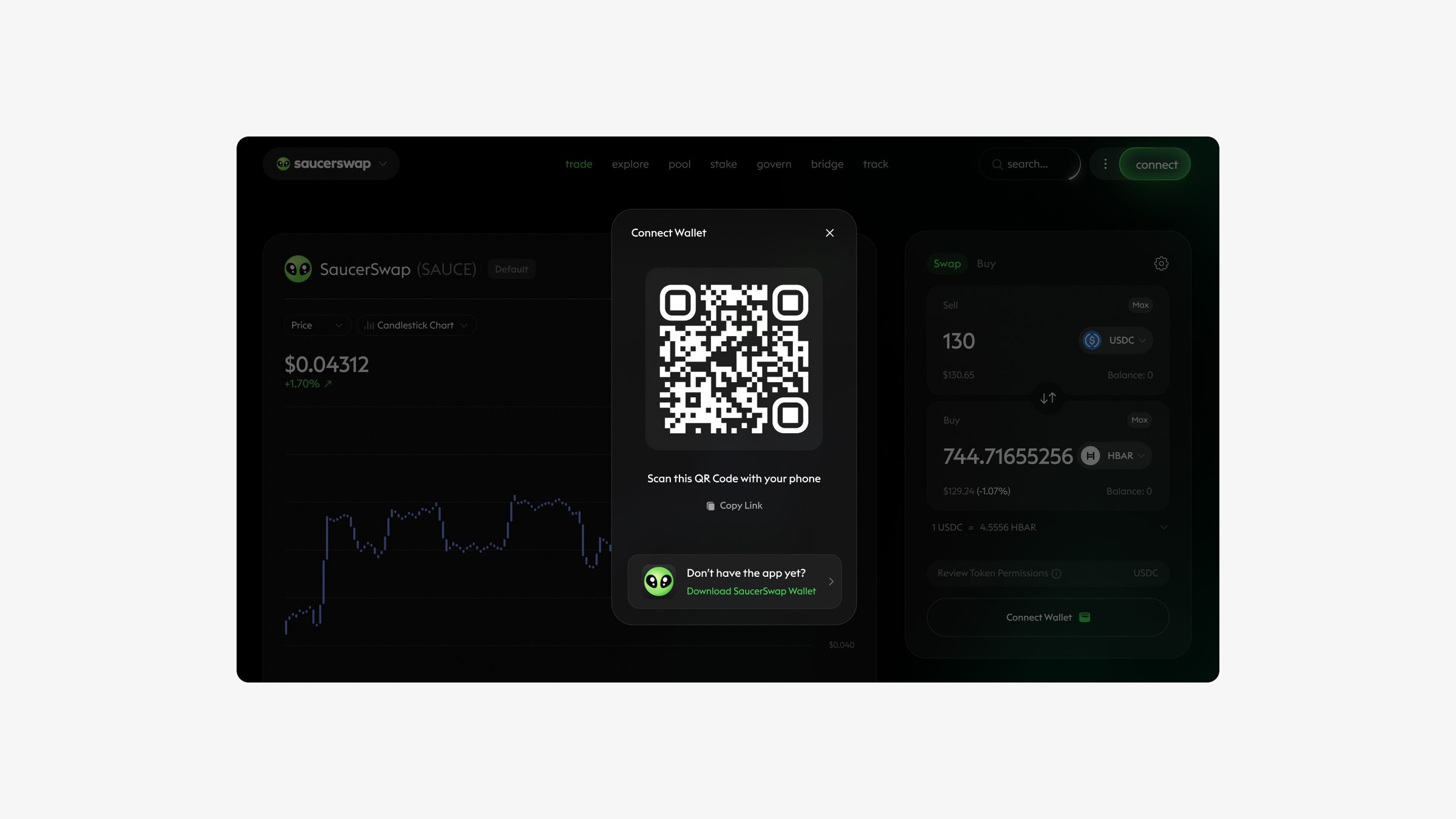
Connect in one step.
The first touchpoint had to be fast and familiar: clear wallet options, and a QR flow for mobile wallets.
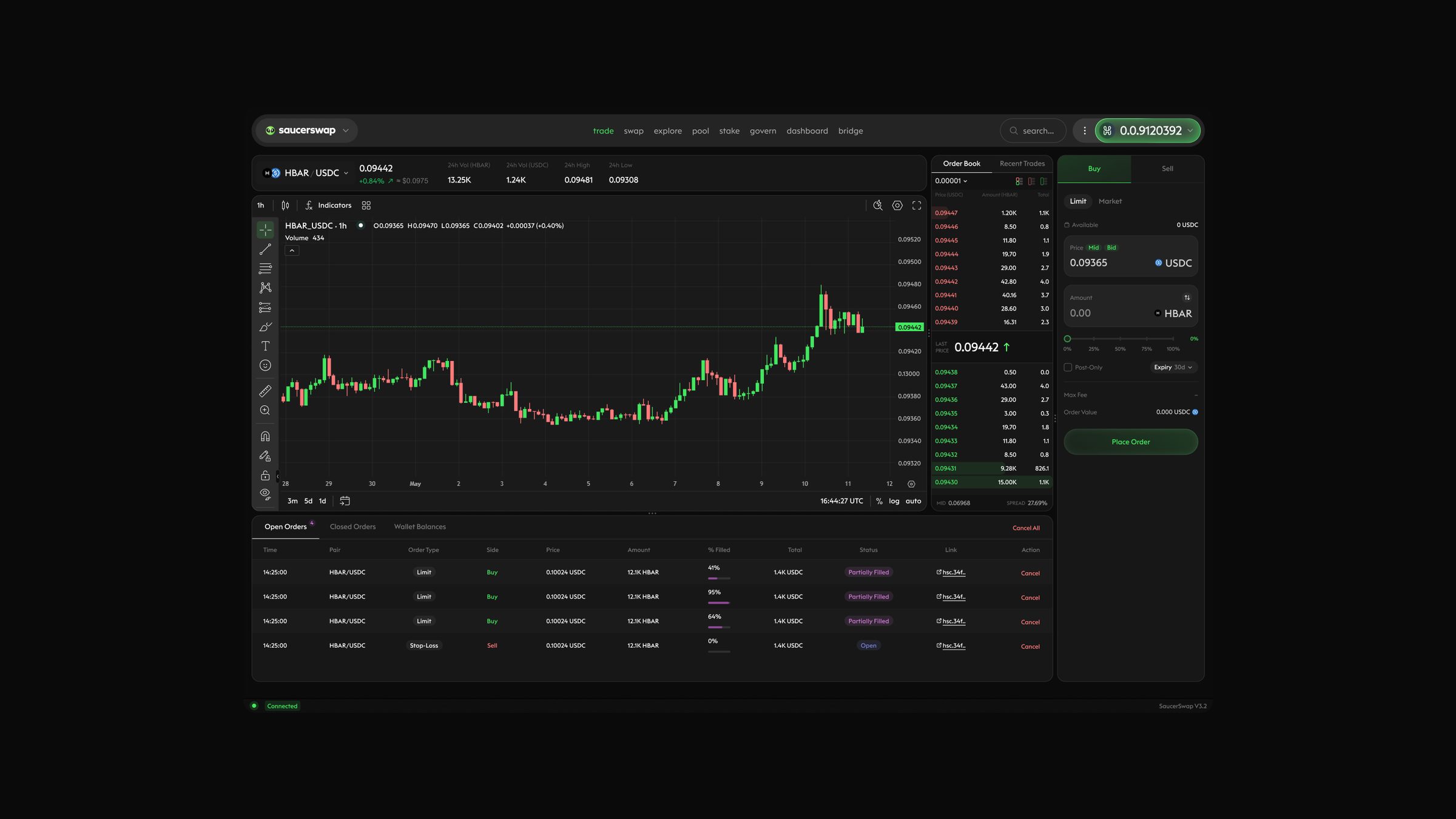
02Order book & trade
The book, readable.
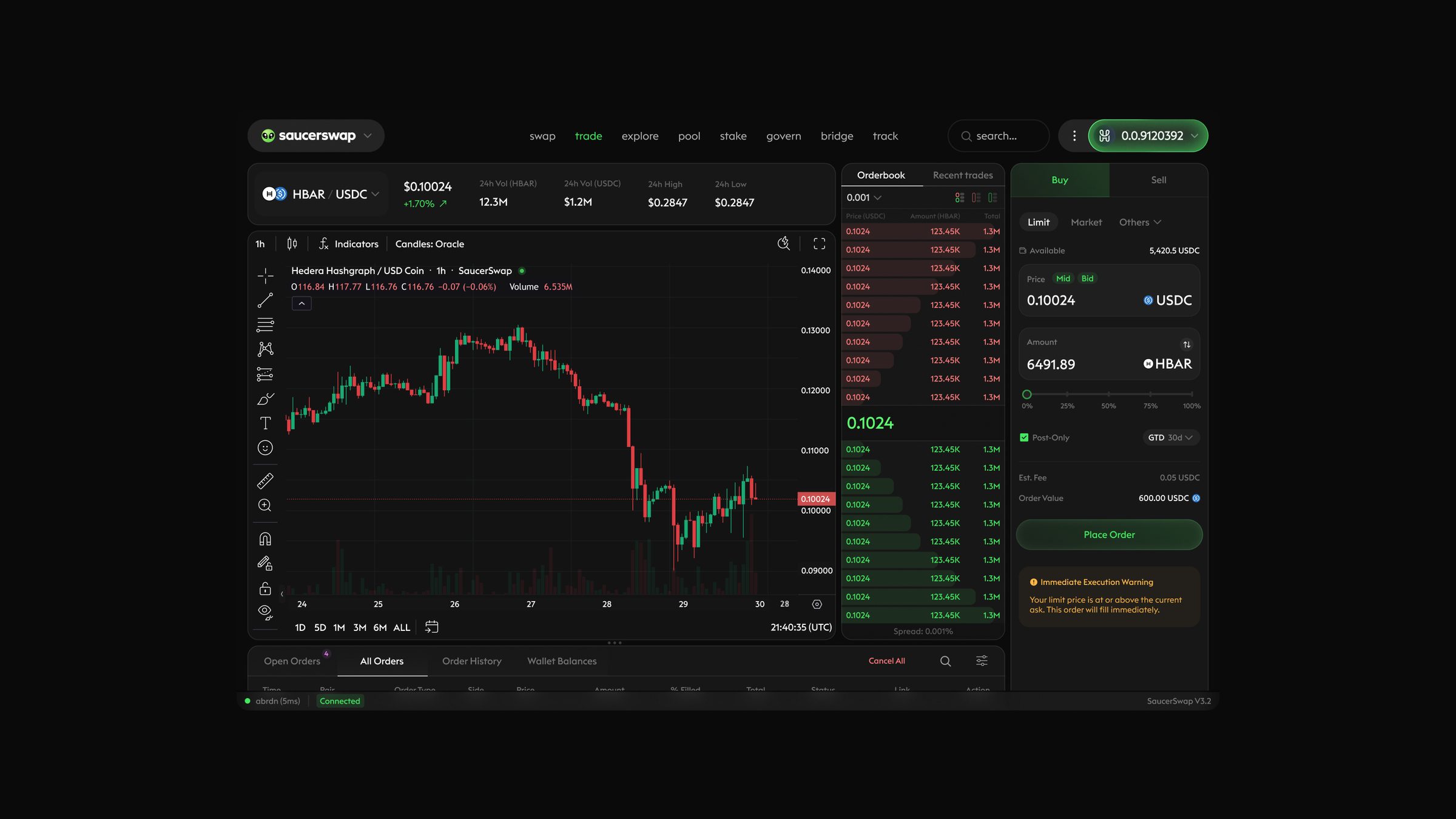
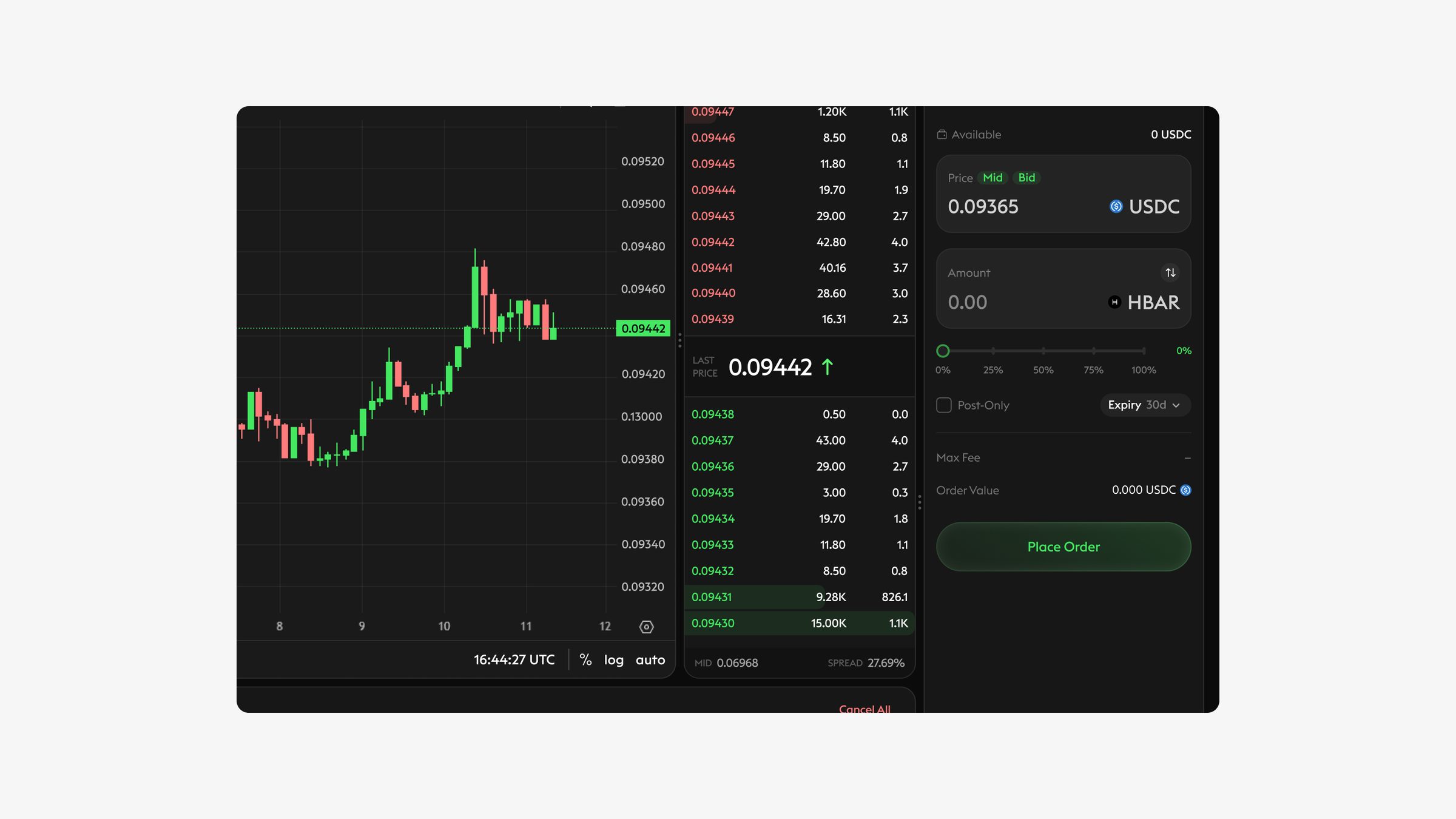
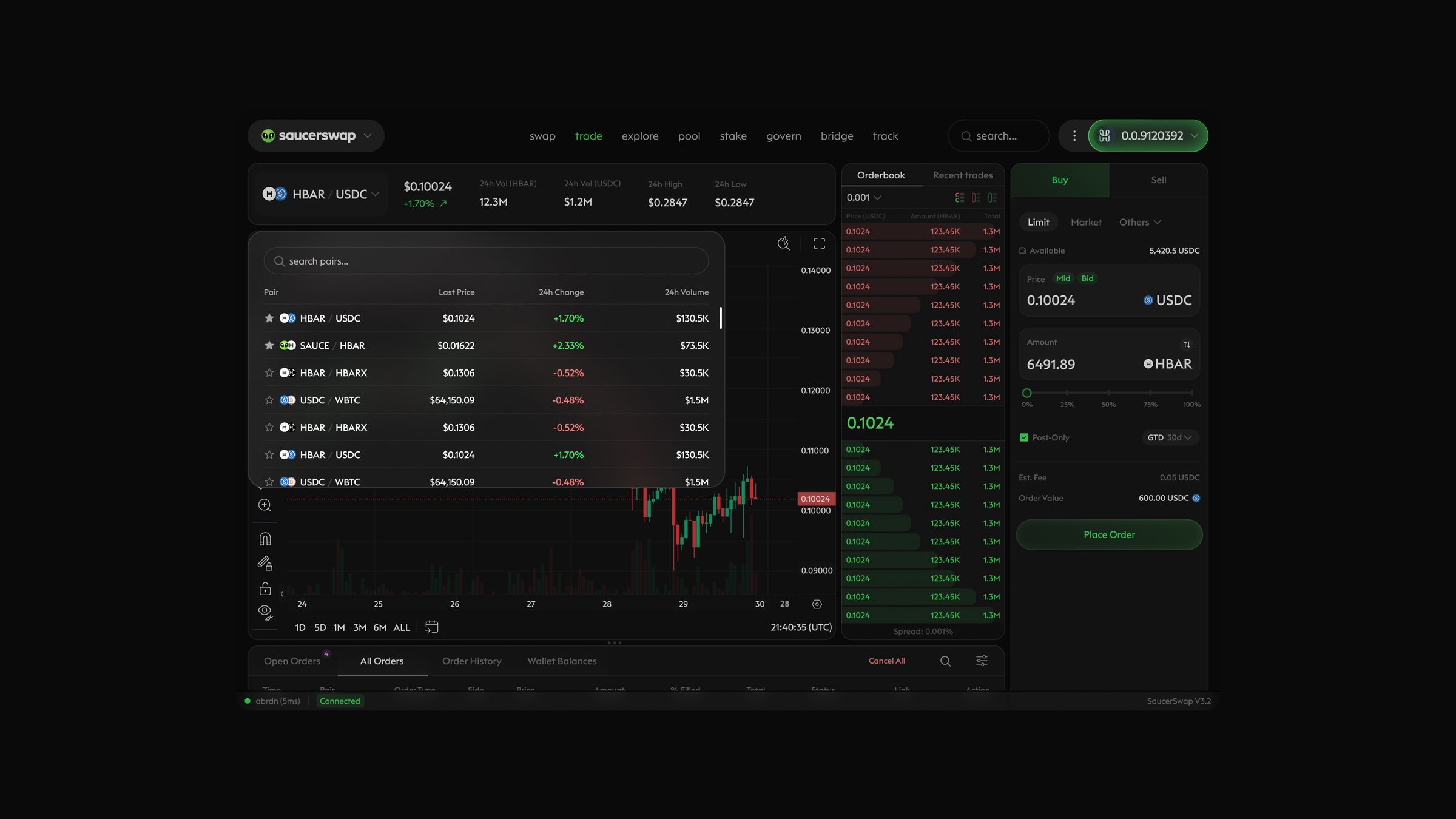
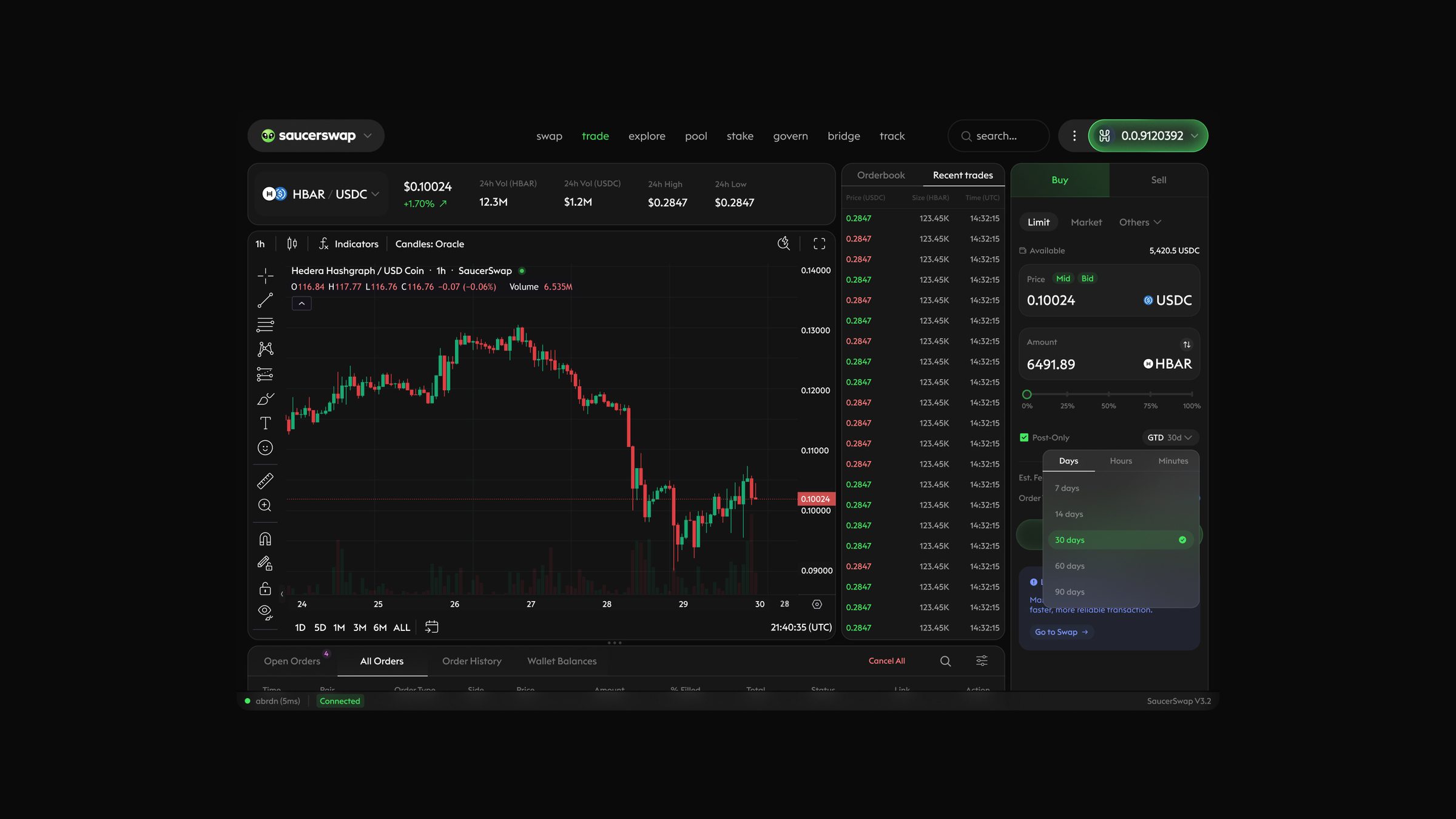
Depth bars, a highlighted spread and the last price anchor the eye, while the chart and recent trades stay one glance away. A pair selector keeps switching markets fast.
Placing an order
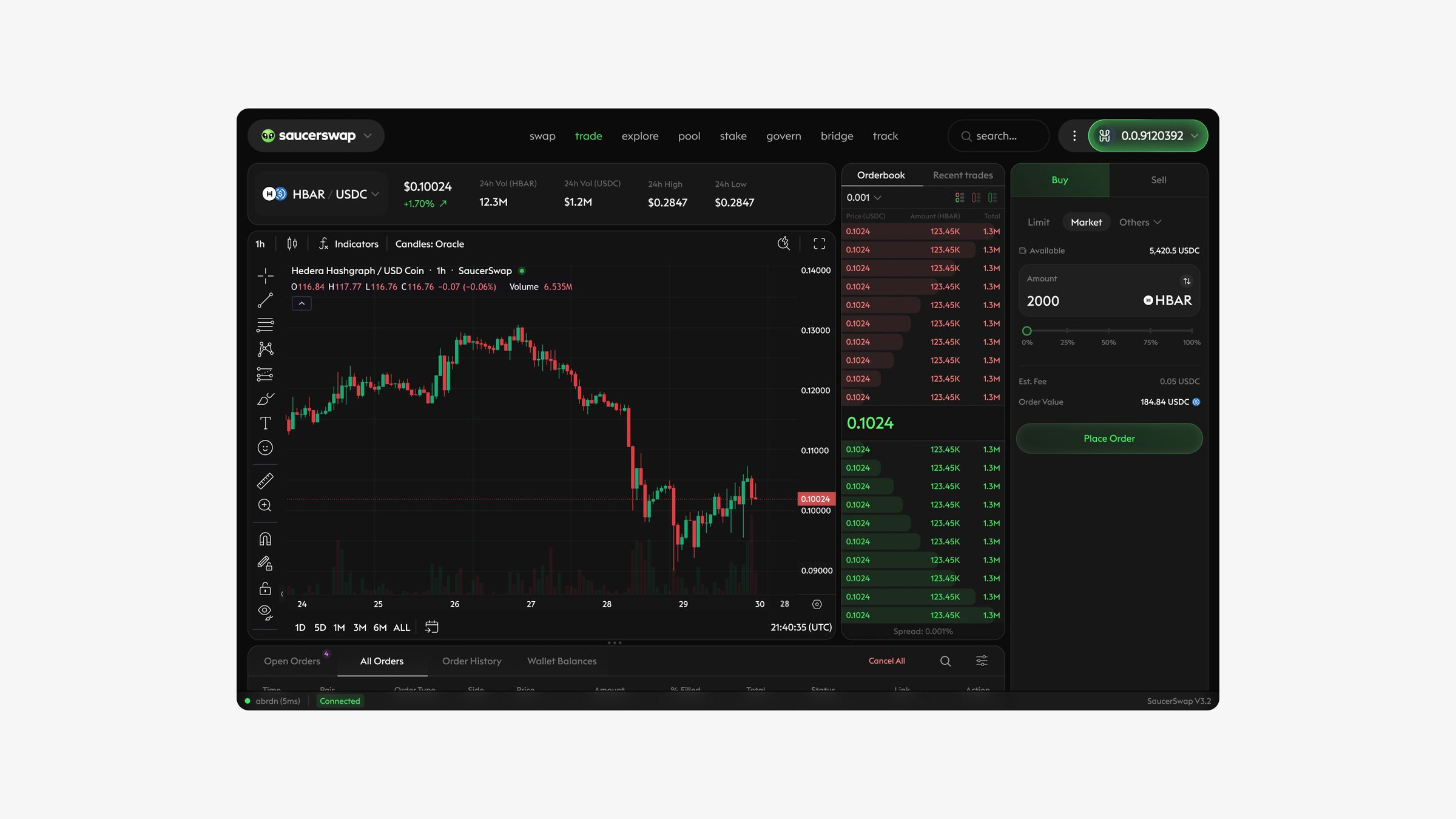
Market and limit orders share one form, so switching types never means relearning the layout. Buy and sell are distinguished by color and position, and the not-connected state turns the form into a clear call to connect.
03Ladder
Depth, at full height.
The ladder stacks every price level vertically so active traders can read liquidity and act straight on a price. [Who it's for and what it solves.]
04User panel, filters & search
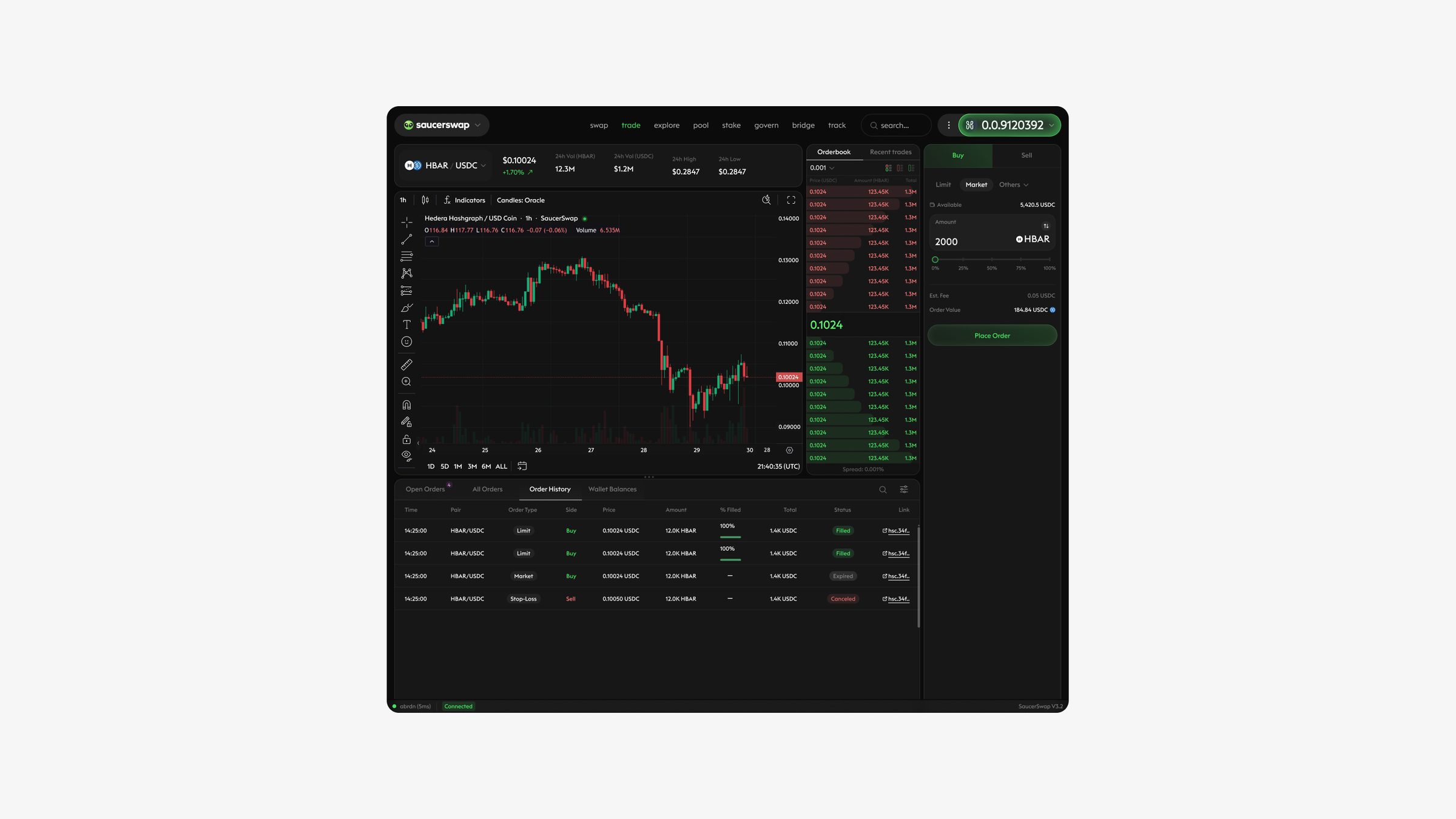
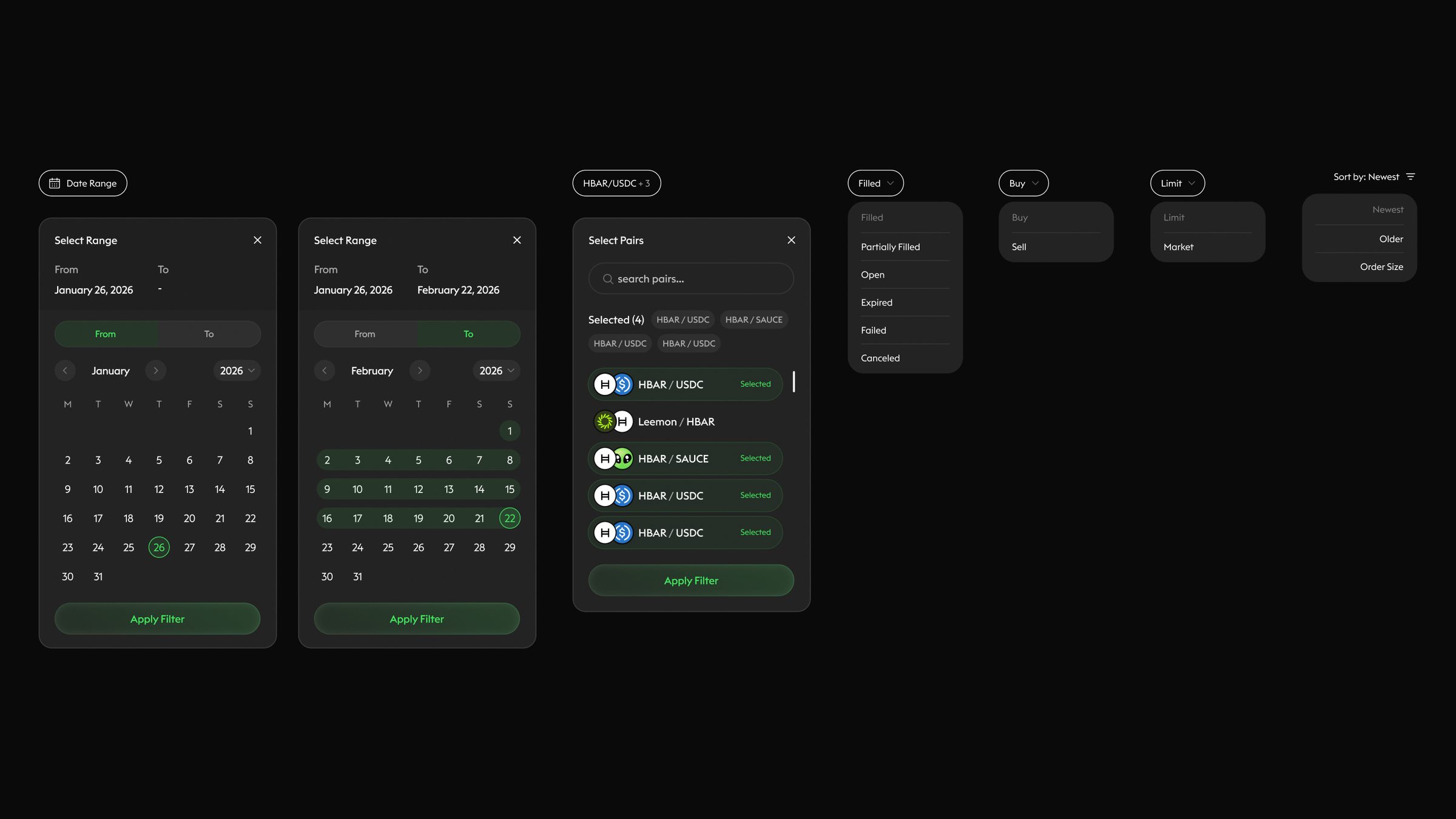
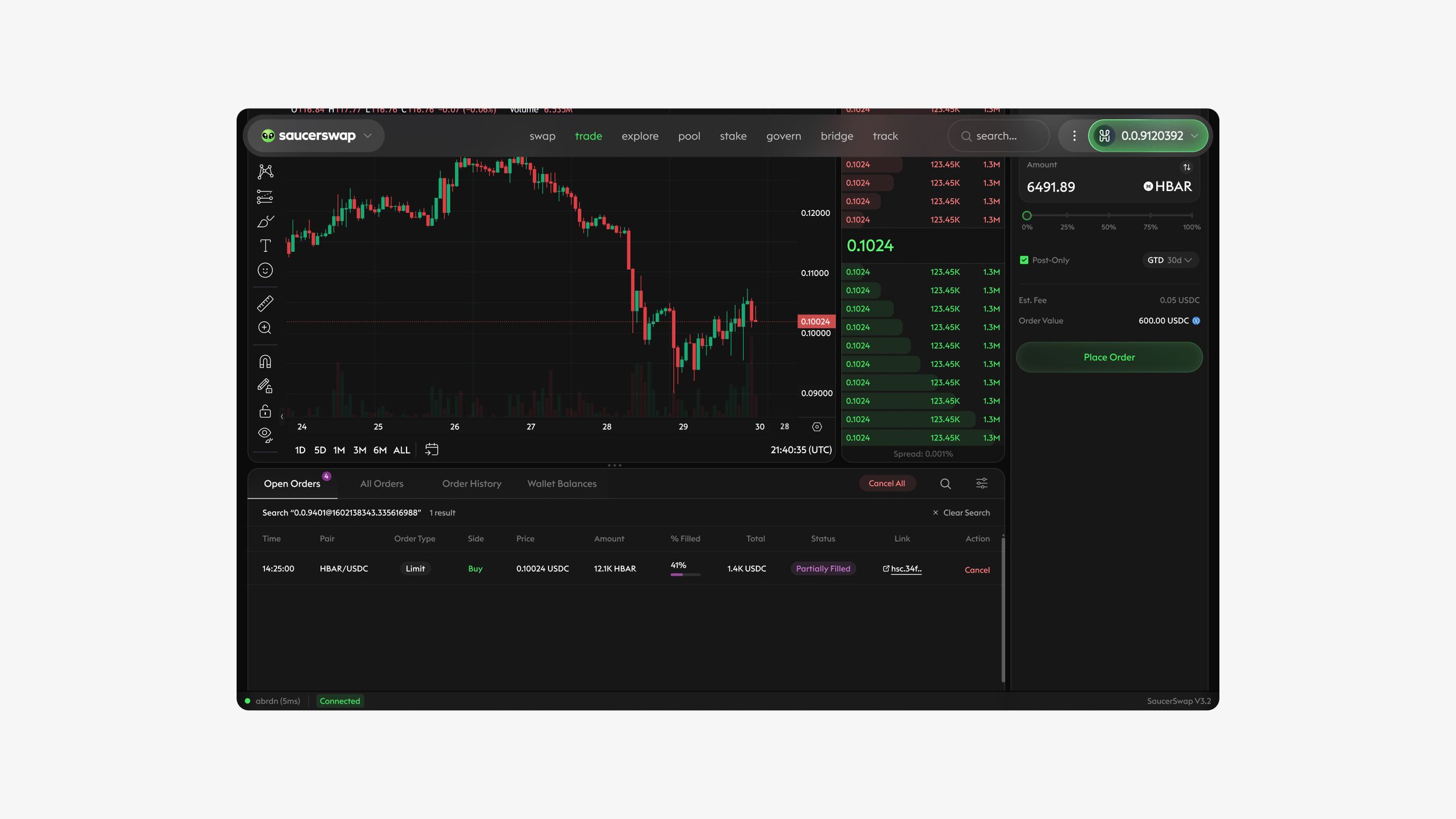
Your orders, under control.
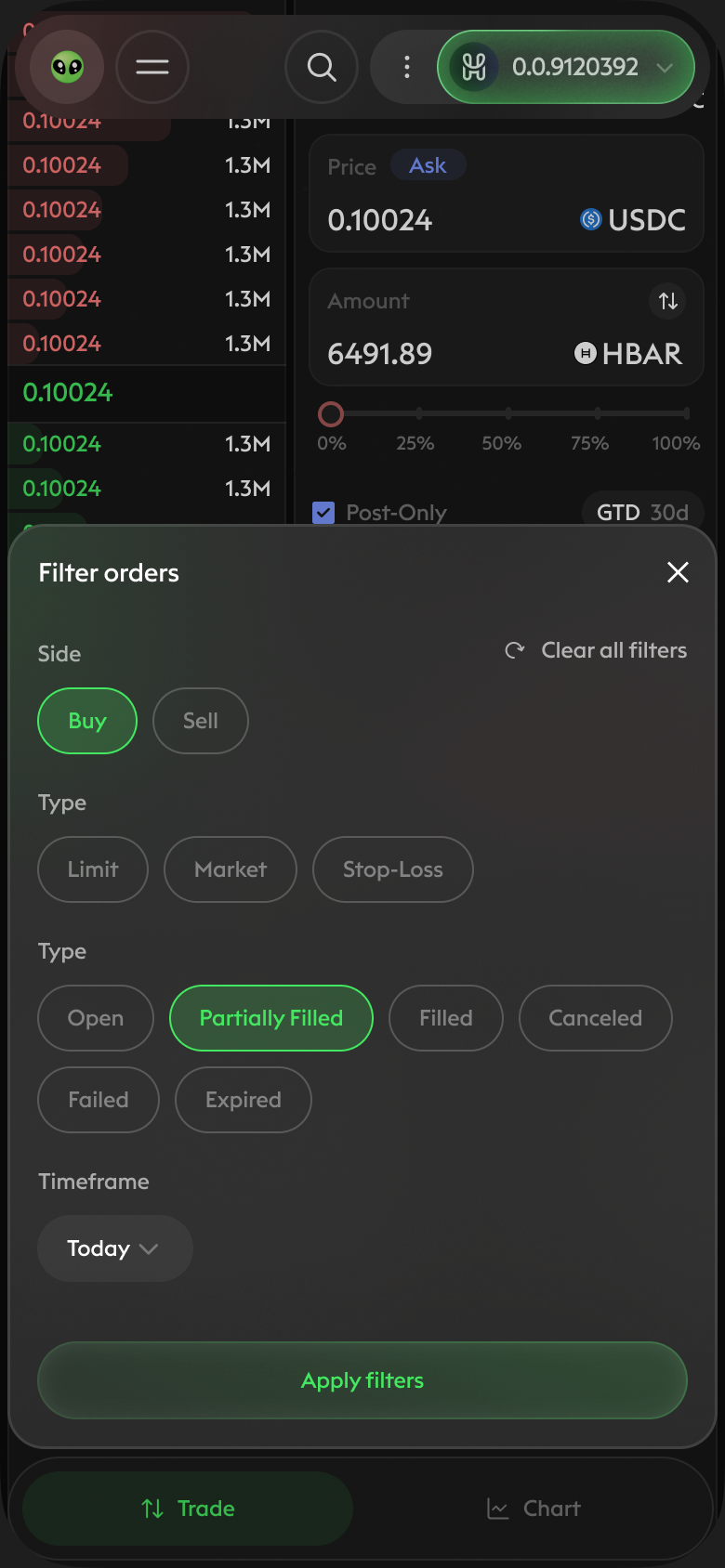
Open orders, history and balances live in one panel. Filters narrow long histories in seconds, and search finds any order by ID or pair.
05Transactions & states
Every signature, explained.
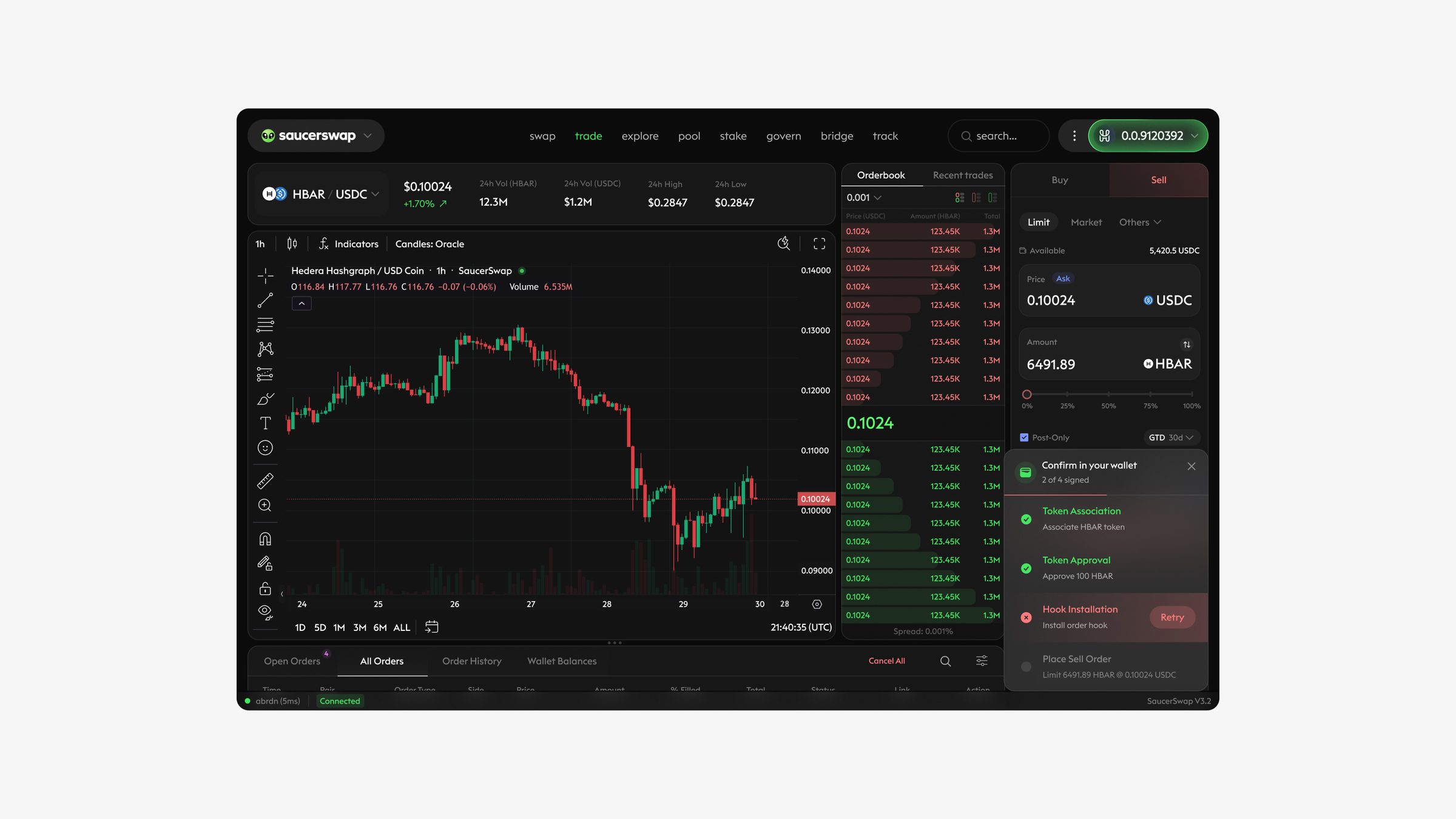
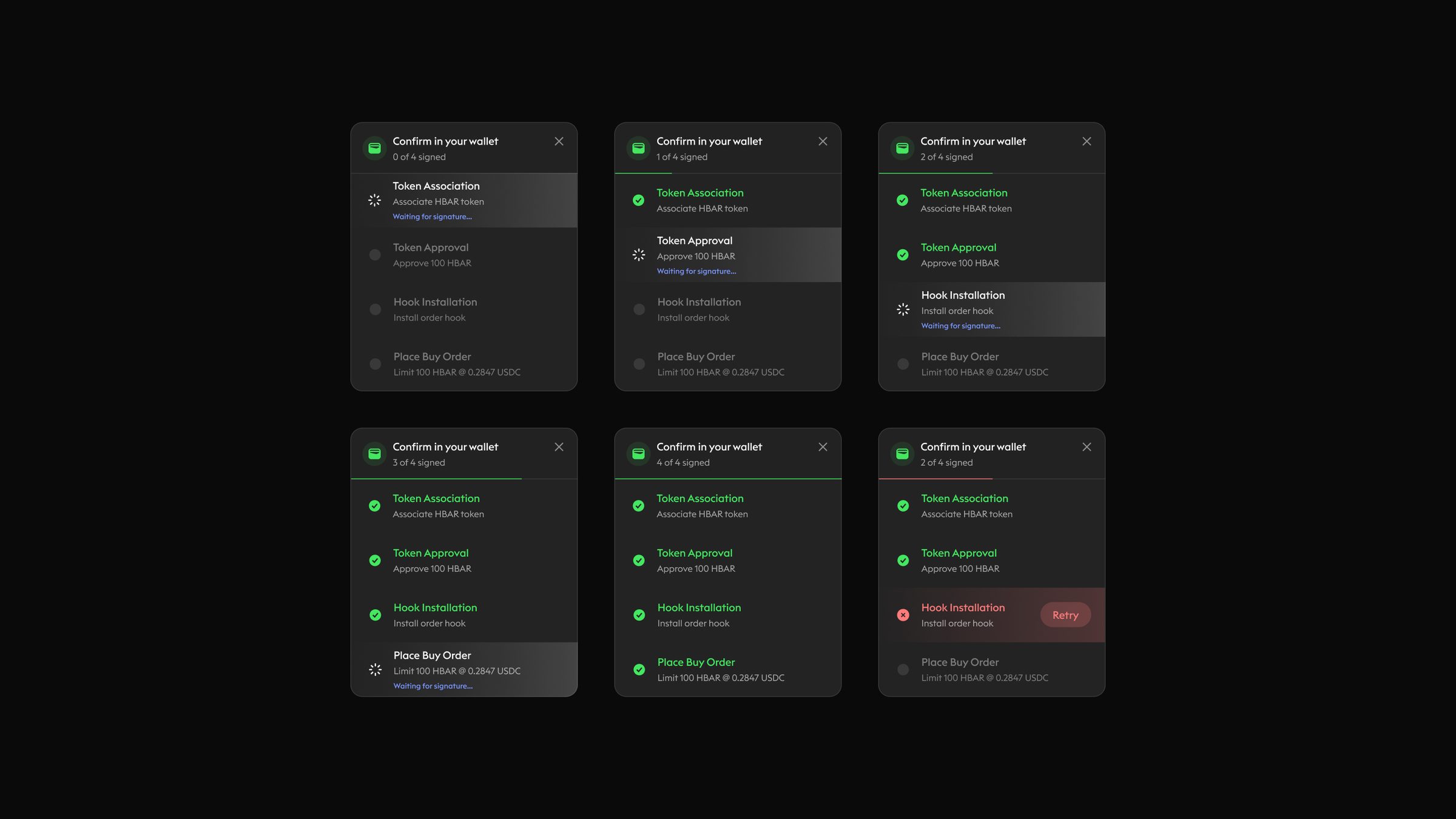
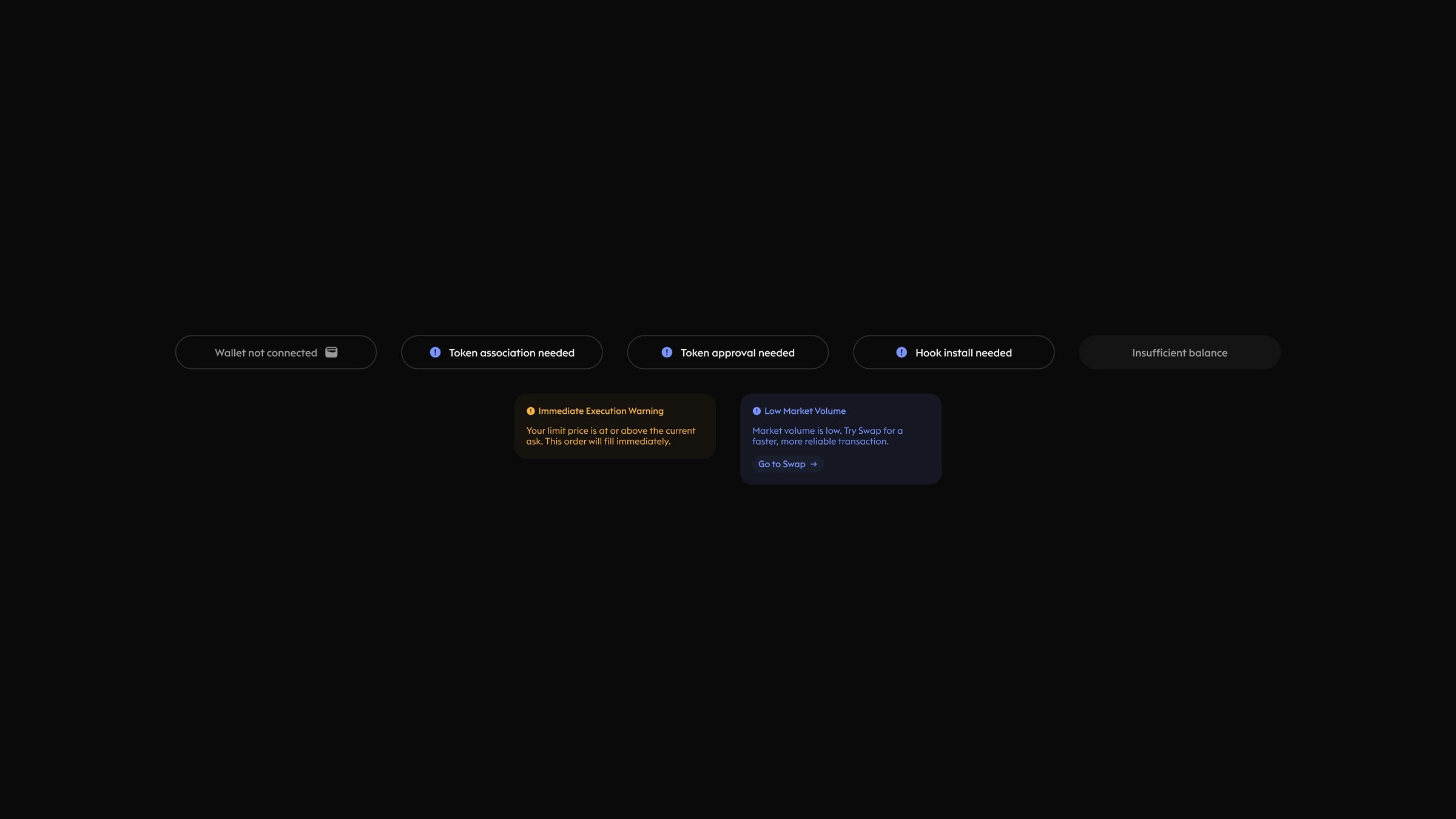
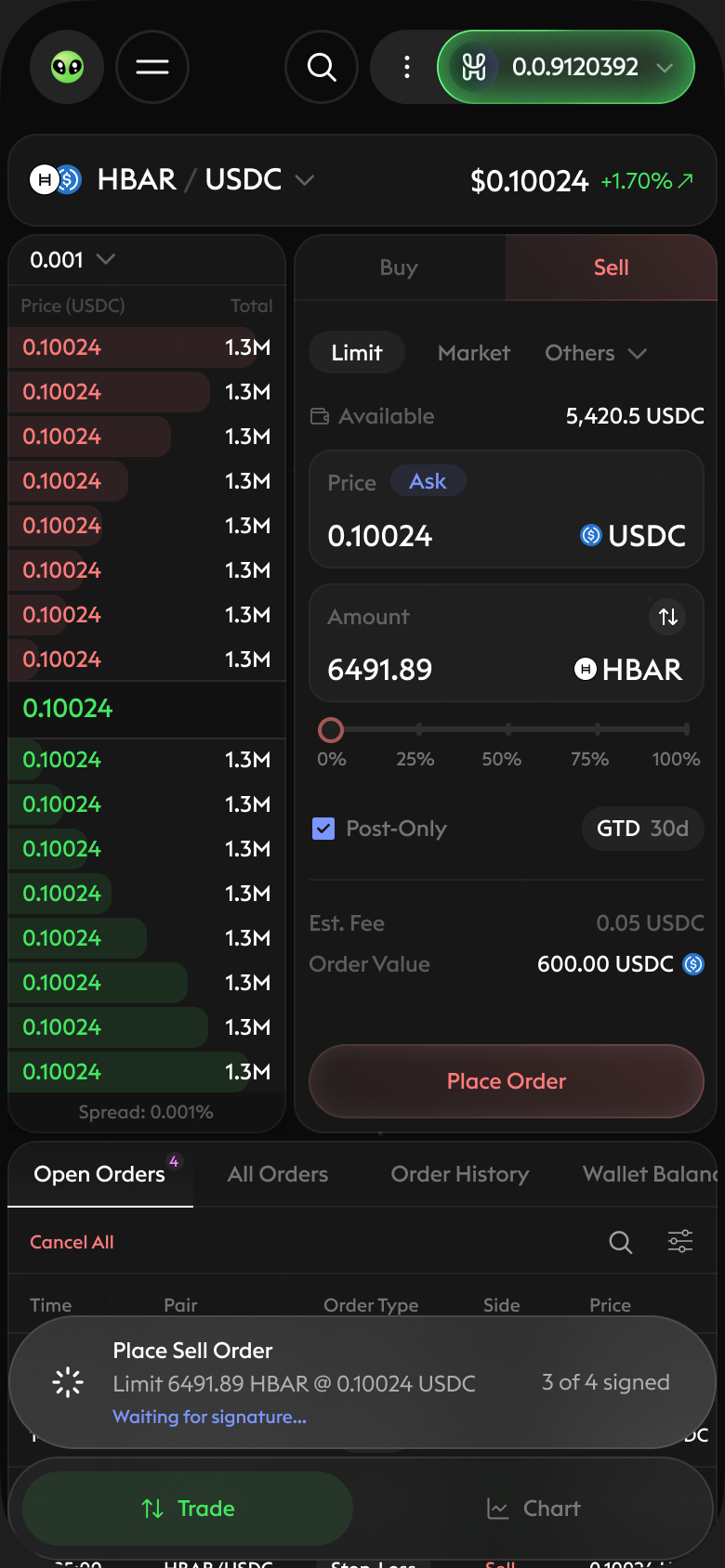
Placing an order on Hedera can take several wallet steps. A progress card shows which step is signing, which are done and what comes next. Status chips and warnings flag what needs attention before it costs the user.
06Portfolio & indicators
The bigger picture.
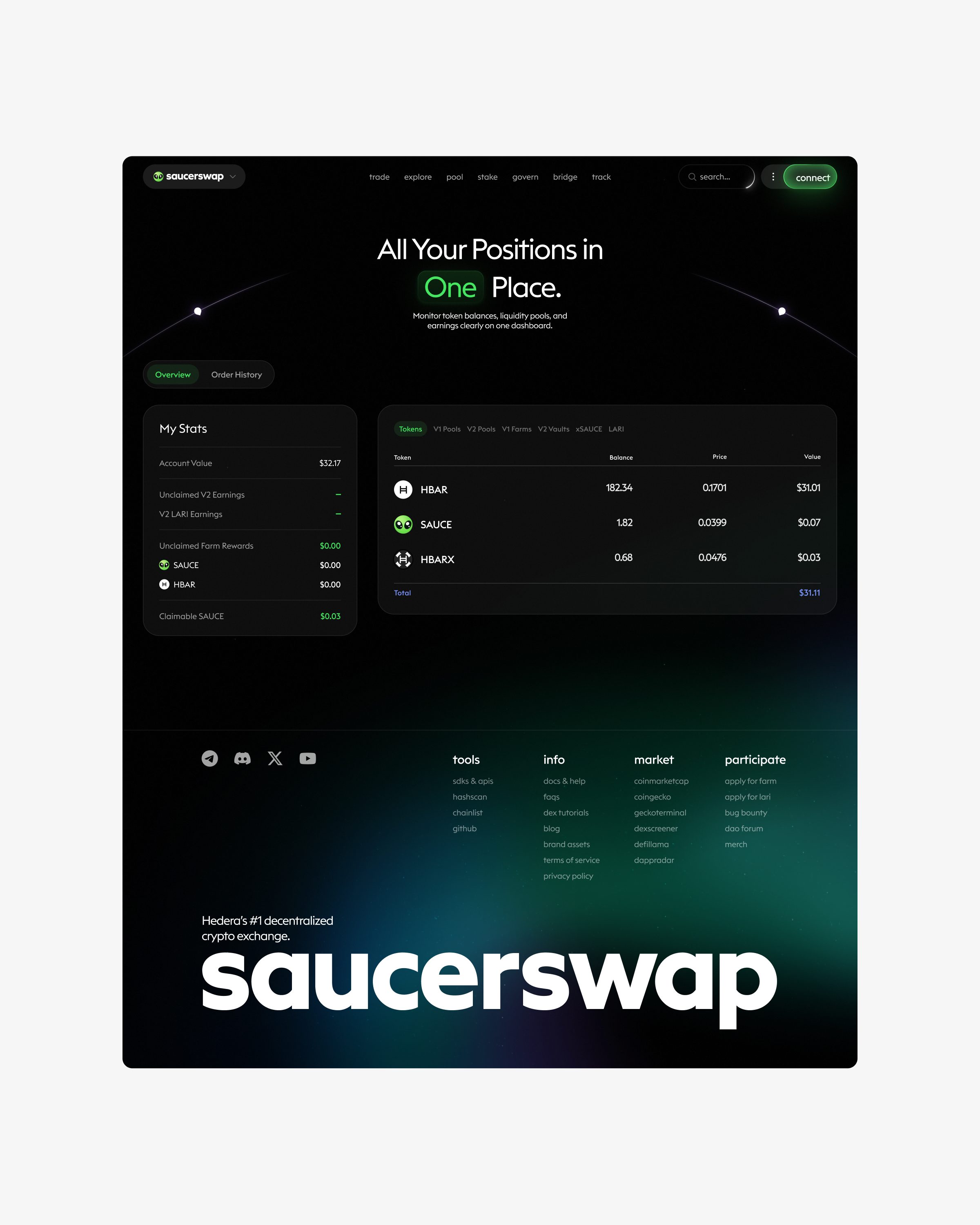
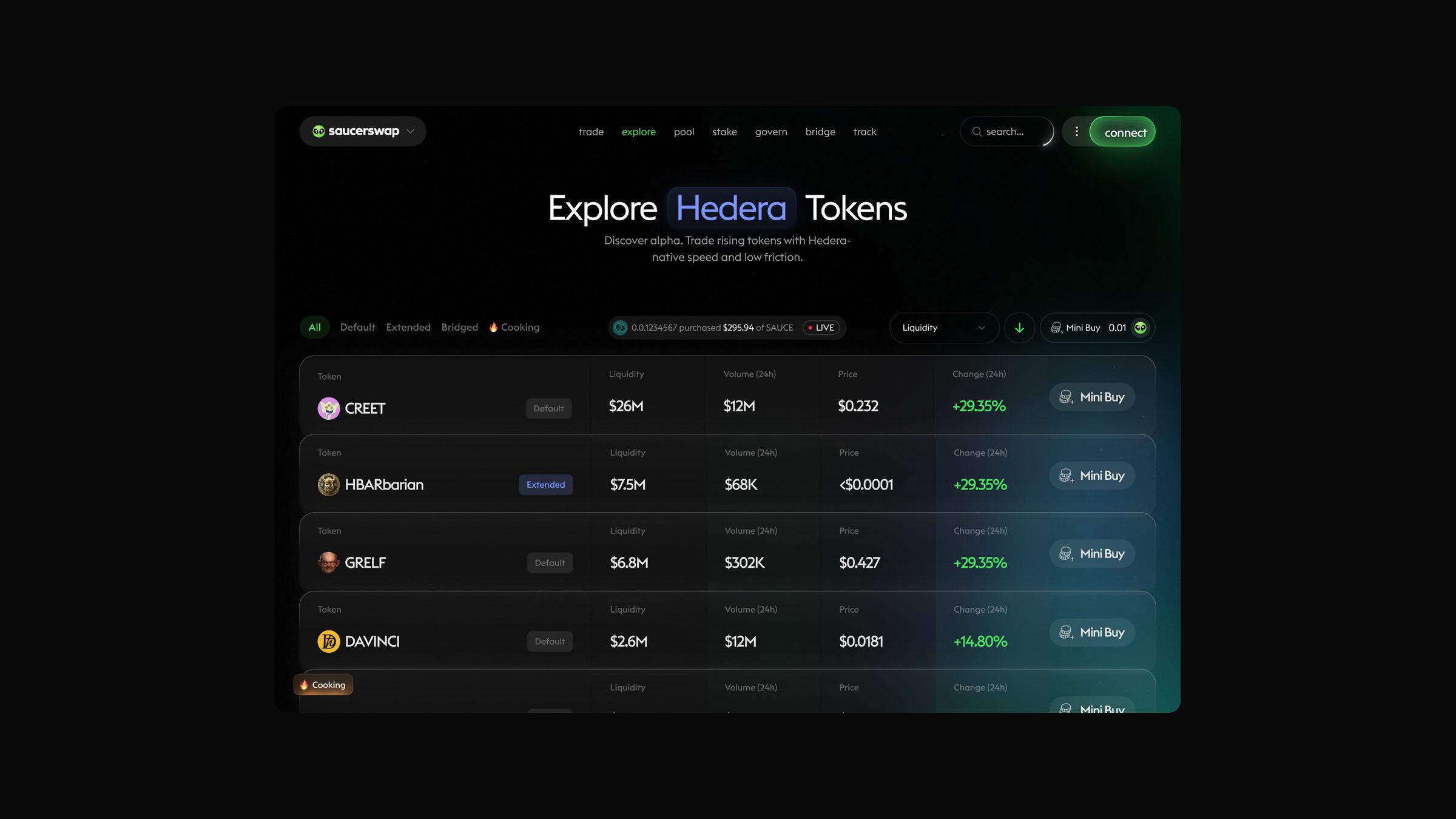
The portfolio summarizes positions and order history in one scroll. Market indicators add context at a glance. [What “Cooking” and “Dipping” mean.]
07Mobile
Trading in your pocket.
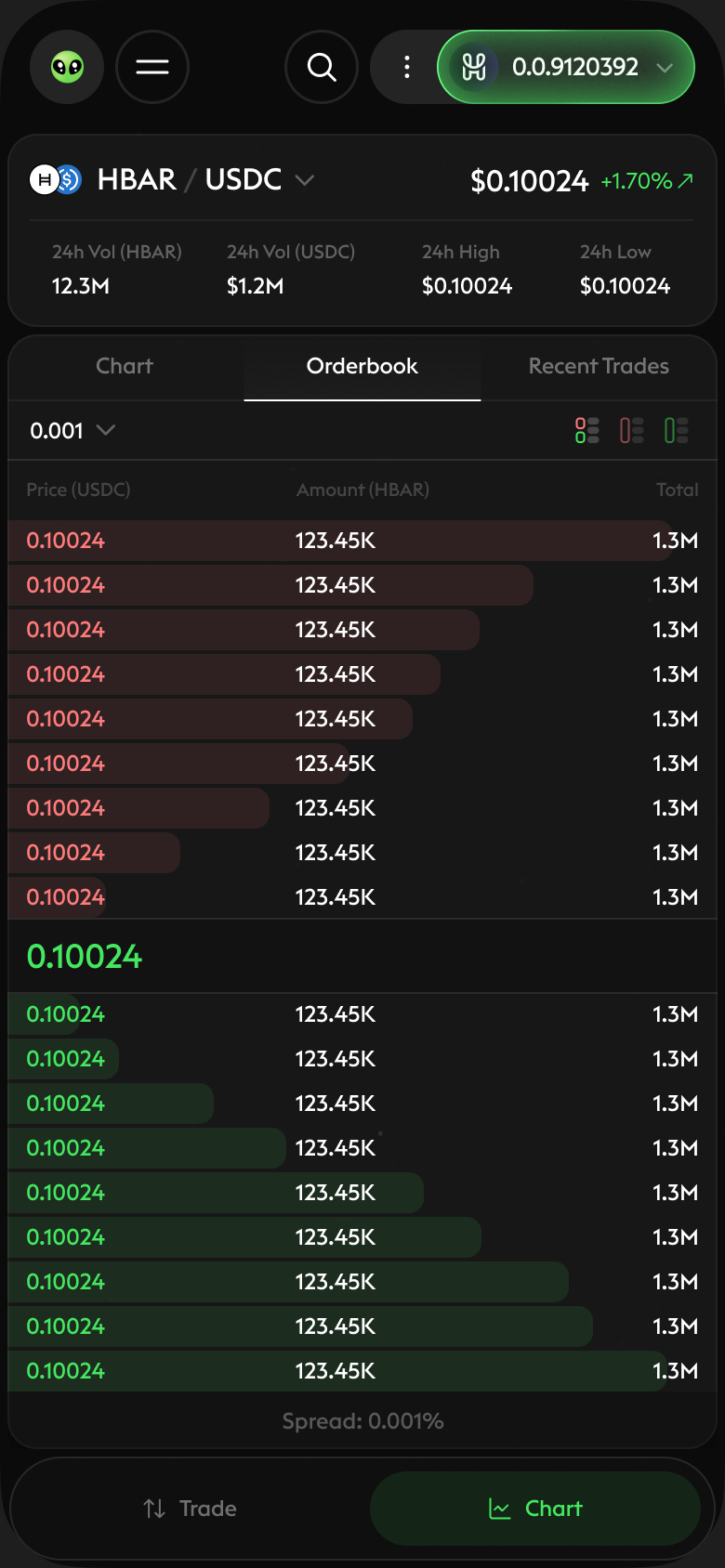
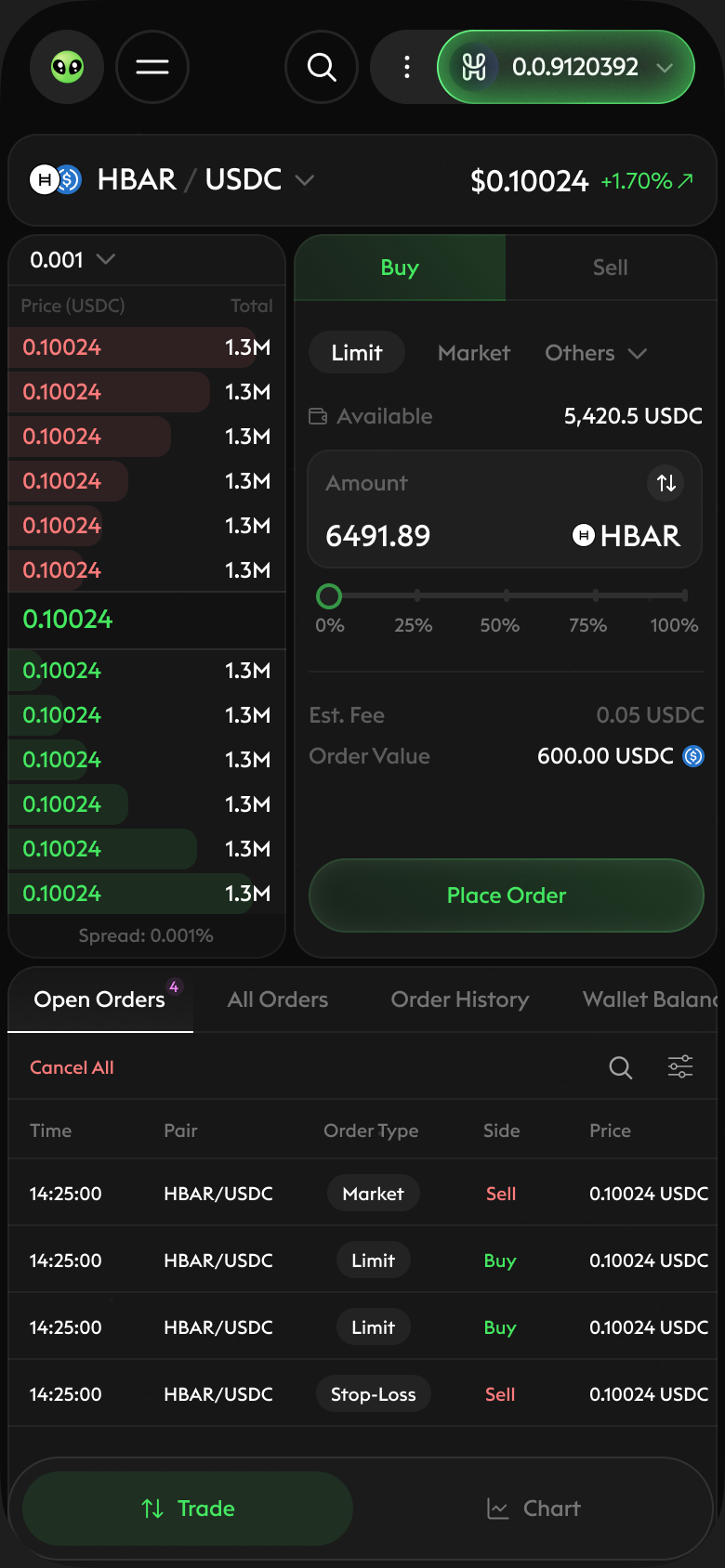
On mobile, the order book and the trade form sit one tab apart: read depth and the last price, then switch to Buy or Sell without losing the market. Once an order is placed, a pending card tracks each wallet signature, and the user panel lets you filter open orders by side, type and status. [Edit: any mobile-specific decision, e.g. why tabs instead of a split view.]
Design system
A compact system keeps both platforms consistent: Euclid Triangle in three weights, a type scale from 10 to 48, a near-black base, one light neutral, green and red for market direction and amber for warnings. Chips, warnings, filters and transaction cards are shared across desktop and mobile.
Credits
Product design — Gabriel Freitez
[Role — Name]
[Role — Name]
Client — SaucerSwap Labs